


Framing, focus, and exposure
Compare framing crops side by side and check focus with peaking. Measure exposure and contrast with the Spot Meter, or use false color to assess skin tones and highlights.
Explore video assist tools
Professional video and audio monitoring, analysis, and recording. All on your iPad or Mac.
Free to download. Add Video, Audio, and Recording Packs, or unlock everything with PRO Pass.
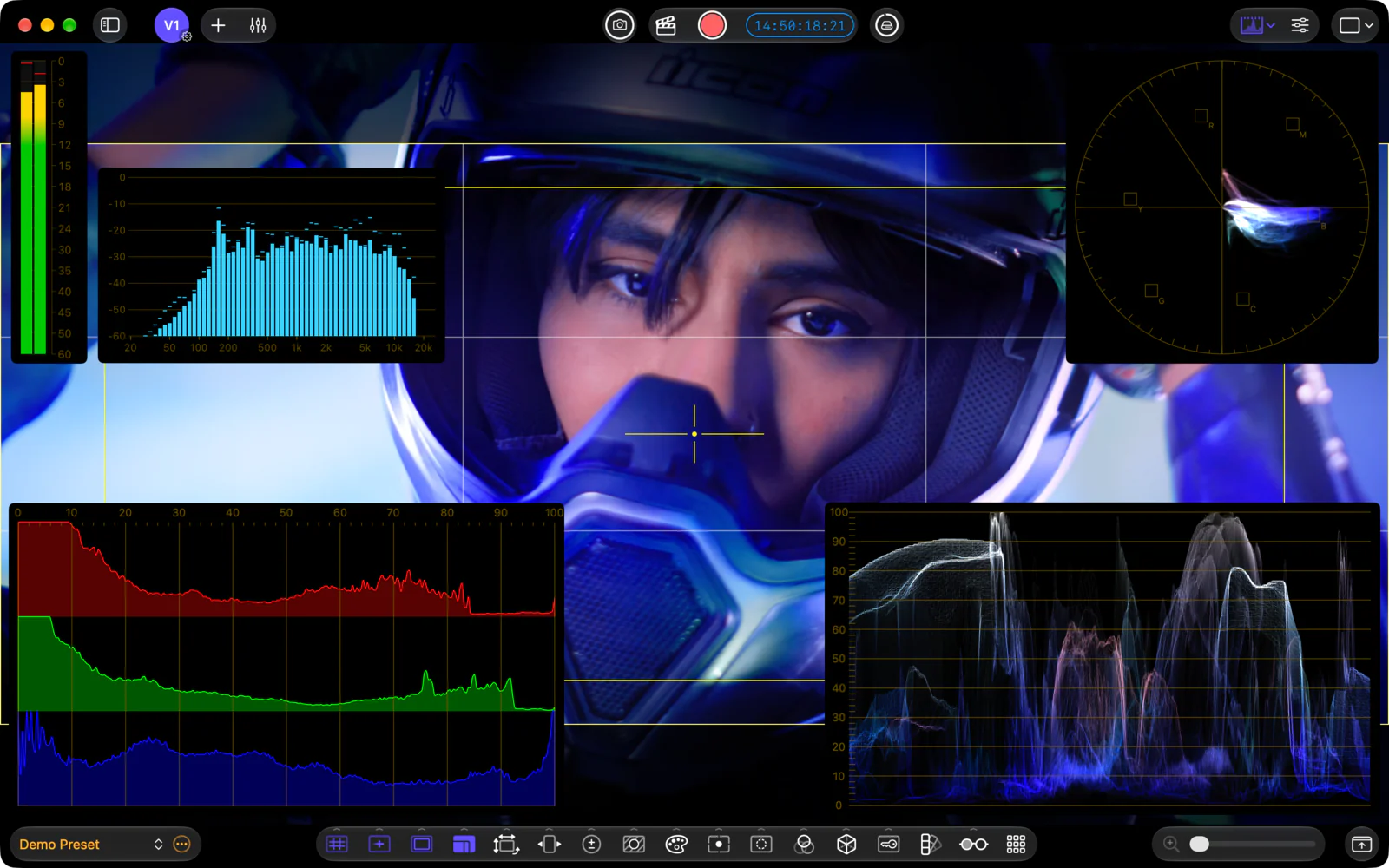
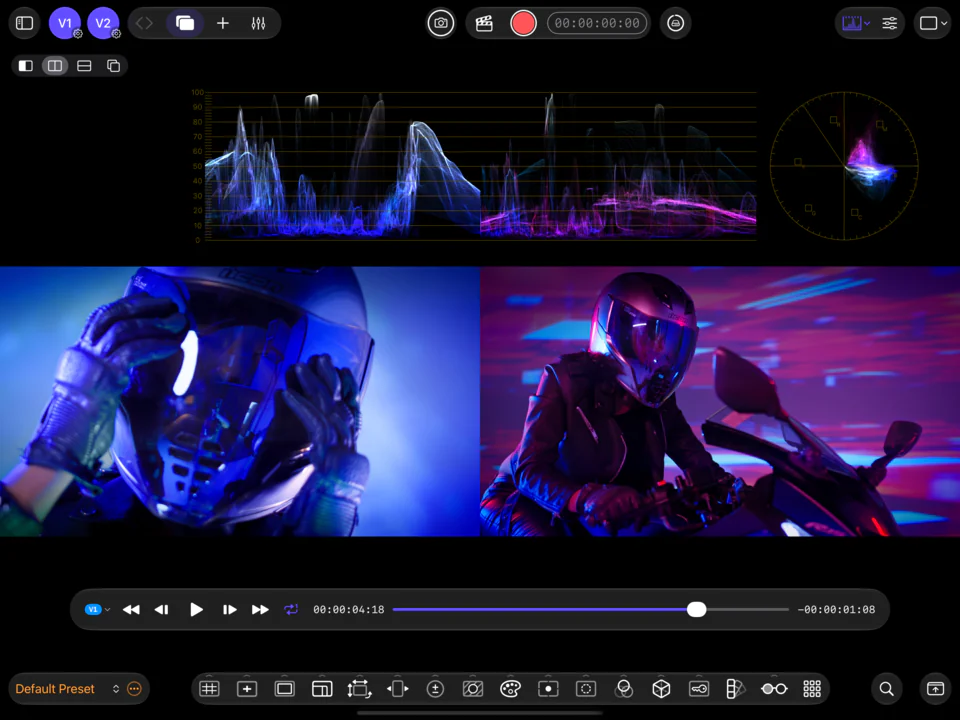
01 / What's new in 2.0
Two live video sources, multi-source audio mixing, and recording with slates and timecode.
Compare live sources in Reference Mode. New exposure and color tools, expanded false color, and rebuilt focus peaking.
Take a closer lookMulti-source audio mixing, six audio scopes, and BS.1770 loudness metering.
Take a closer look10-bit HEVC and ProRes, external LTC, and slate-to-edit metadata.
Take a closer lookA rebuilt 16-bit Metal video engine for lower latency and reduced banding. Reusable Input Profiles and iCloud configuration sync. See what’s new in CineMon 2.0 ↗
02 / Video monitoring
Frame and focus your shot, compare sources in Reference Mode, and analyze exposure and color with professional scopes. Preview the look with LUTs and image adjustments.
Two live inputs run simultaneously on iPad or Mac. Reference Mode displays both pictures side by side, with a wipe, or as an overlay for camera matching and continuity checks.
Explore video sources
Compare framing crops side by side and check focus with peaking. Measure exposure and contrast with the Spot Meter, or use false color to assess skin tones and highlights.
Explore video assist tools


Inspect the signal with video scopes and color palette analysis. Calibrate sources with Input Profiles, preview LUTs, and check composites and stereoscopic footage with the Color Keyer and 3D Preview.
Explore video monitoring03 / Audio monitoring
Combine multiple audio sources in a single mix, with six audio scopes for monitoring levels, loudness, stereo phase, and frequency content.
Mix camera audio, external microphones, and reference tracks in one place, with independent fader, pan, mute, and solo controls for each source. A master fader sets the stereo output level.
Explore the audio mixer


Loudness metering uses ITU-R BS.1770, with EBU R128 and ATSC A/85 (Short Form) delivery profiles. Track loudness over time and check true-peak levels before delivery.
Explore loudness


Check stereo balance and phase correlation with the goniometer. Band and FFT spectrum analyzers plot signal level by frequency, and the oscilloscope displays waveform shape and transients.
Explore audio scopes04 / Recording & media
Record clips with slate metadata and timecode, and save reference stills. Review takes in the Media Library and carry production details into DaVinci Resolve and Final Cut Pro.
Attach production, scene, and take information to each capture using reusable digital slates. External LTC supplies the starting timecode for each recording.
Explore slates

Record the camera input or the processed image in 10-bit HEVC or ProRes. Reference stills are saved alongside your clips in the Media Library for continuity checks.
Explore recording and capture
The Media Library shows recorded takes with their slate details, notes, and ratings. Embedded production metadata carries into DaVinci Resolve and Final Cut Pro, reducing manual entry during editing.
Explore the media library05 / Hardware
Connect USB capture devices on iPad or Mac, Accsoon SeeMo on iPad, or Blackmagic Design DeckLink and UltraStudio on Mac. Use the same monitoring and analysis tools with each setup.
06 / Design
Camera-specific gamma settings let the exposure tools interpret log footage in linear light.
The Metal video engine retains source precision through color transforms and image adjustments.
Presets save tool settings and layouts. Choose which controls appear in the monitor toolbars.
Free to download
Start with free monitoring tools. Add Video, Audio, and Recording Packs, or unlock everything with CineMon PRO Pass.


Scan to download